Integrated Project Management
Connect schedules, tasks, deliverables, and owners across the full project lifecycle.
Schedule · Task · DeliverableRecurring difficulties in day-to-day project delivery
Standard development processes, gates, and rules are not consistently followed.
Departments struggle to collaborate, with disconnected tasks and workflows.
Frequent changes to scope, schedules, costs, and resources undermine reliable plans and data.
Performance is difficult to measure objectively, limiting data-driven decisions.
People cannot clearly see what to do now or prepare for next.
Real-time development status and project progress are difficult to see.
Project activities and results are difficult to organize and share.
Issues and risks are not identified and addressed quickly enough.
Connect work and data through project-centered management to enable faster execution and continuous improvement.
Connect schedules, tasks, deliverables, and owners across the full project lifecycle.
Schedule · Task · DeliverableIdentify issues and risks, assign owners, and track actions through completion.
Issue · Risk · ActionManage schedules and dependencies to identify and address delays and bottlenecks early.
Schedule · Bottleneck · Lead TimeCapture and standardize project experience and data for reuse and continuous improvement.
Knowledge · Standard · Improvement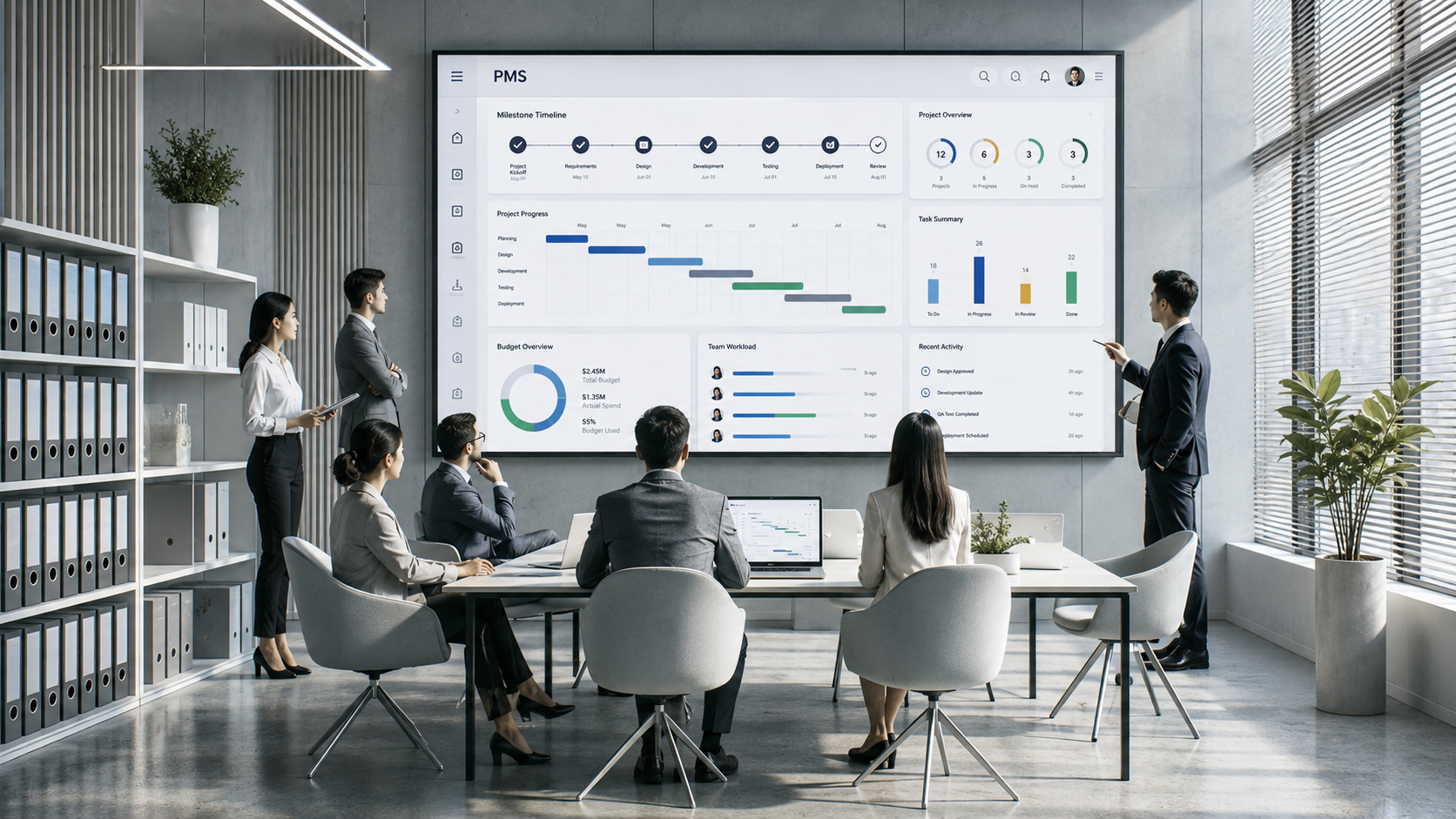
Improve efficiency, collaboration, visibility, and execution through standardized project management.
Use standard processes and WBS to structure execution and improve consistency and accountability.
Standard Process · WBSShare real-time schedules, progress, issues, and deliverables for faster understanding and response.
Visibility · Real-time StatusConnect responsibilities, schedules, issues, and documents across teams to reduce information gaps.
Role · Issue · DocumentIdentify bottlenecks and delays early to improve delivery speed and productivity.
Lead Time · BottleneckConnected project information and real-time management improve transparency, response times, and access to information.
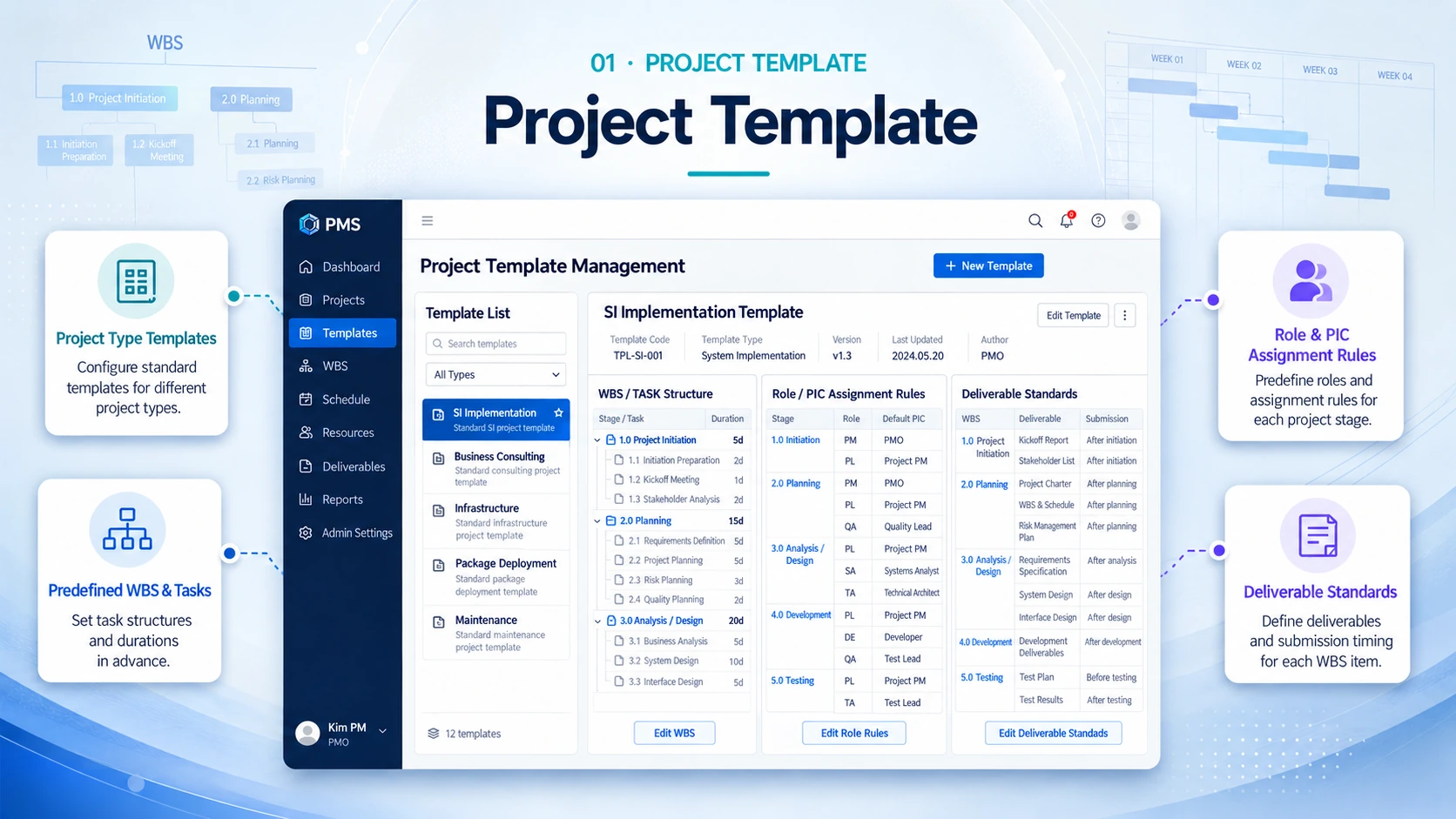
Use standard templates by project type to manage schedules, responsibilities, deliverables, and execution criteria consistently.
Create and reuse standard templates for different project types.
Set WBS, tasks, durations, and key activities in advance.
Define project-stage roles and assignment rules in advance.
Define required deliverables and submission timing by stage and WBS to prevent omissions.
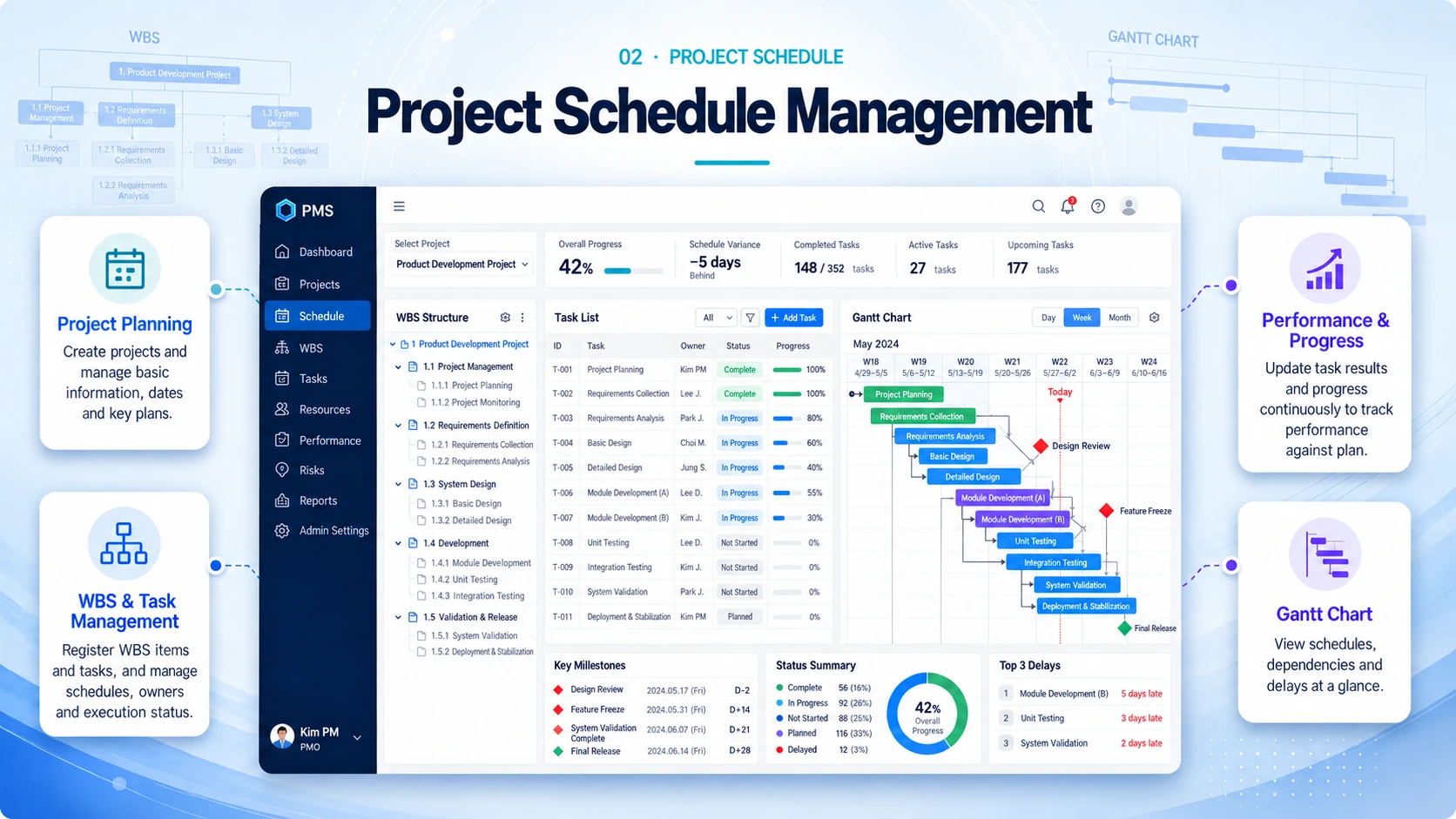
Manage project plans, WBS, schedules, progress, and actual performance together.
Create projects and maintain their information, dates, and plans.
Register WBS and tasks and manage schedules, owners, and status.
Update work results and progress to compare execution against plans.
Use Gantt charts to understand schedules, dependencies, and delays.
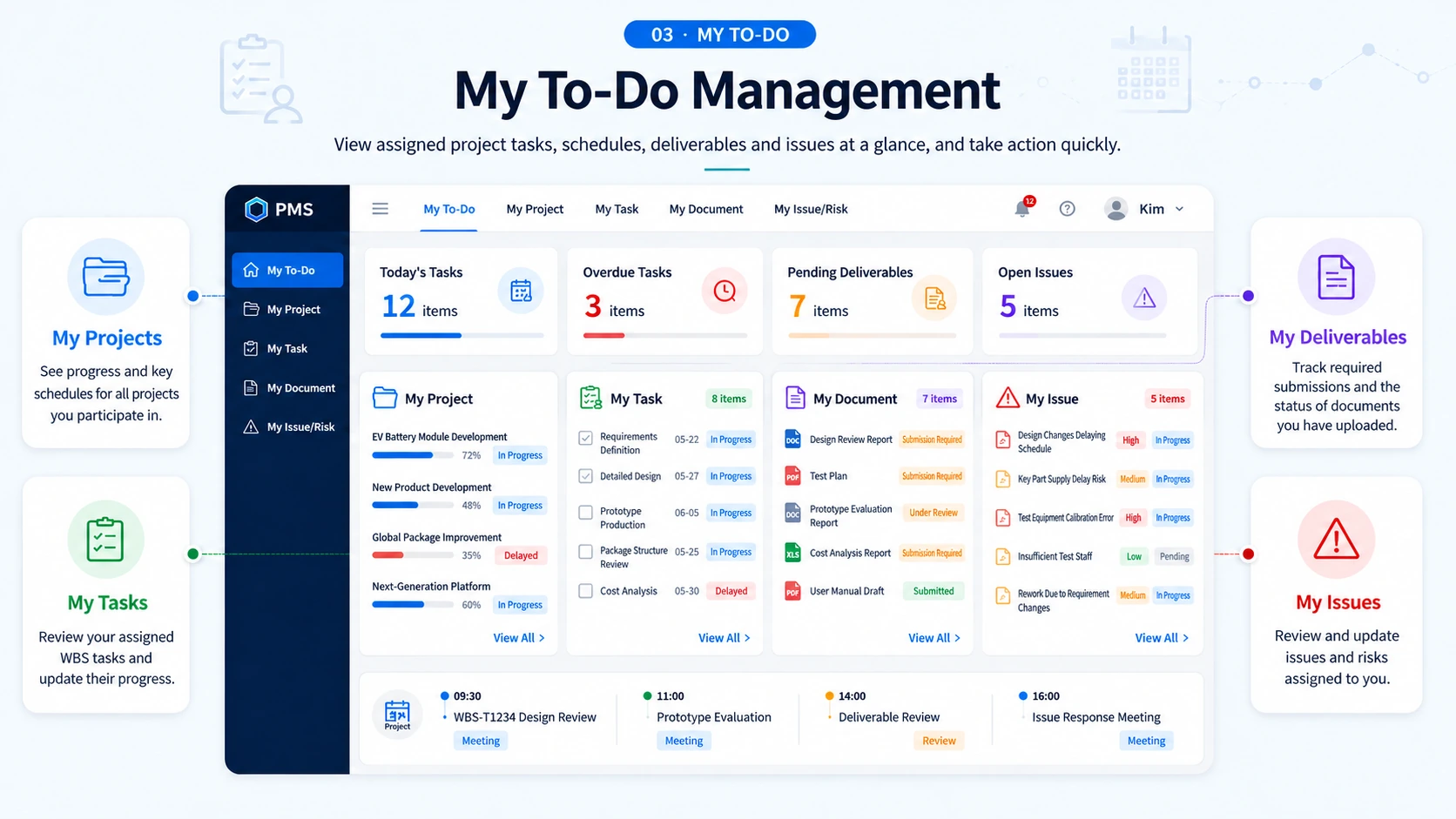
View and act on your project tasks, schedules, deliverables, and issues in one workspace.
See your projects, milestones, and current progress at a glance.
Access assigned WBS and tasks and update your progress.
Check required deliverables and the status of your submitted documents.
Track your issues and risks and update resolution progress.
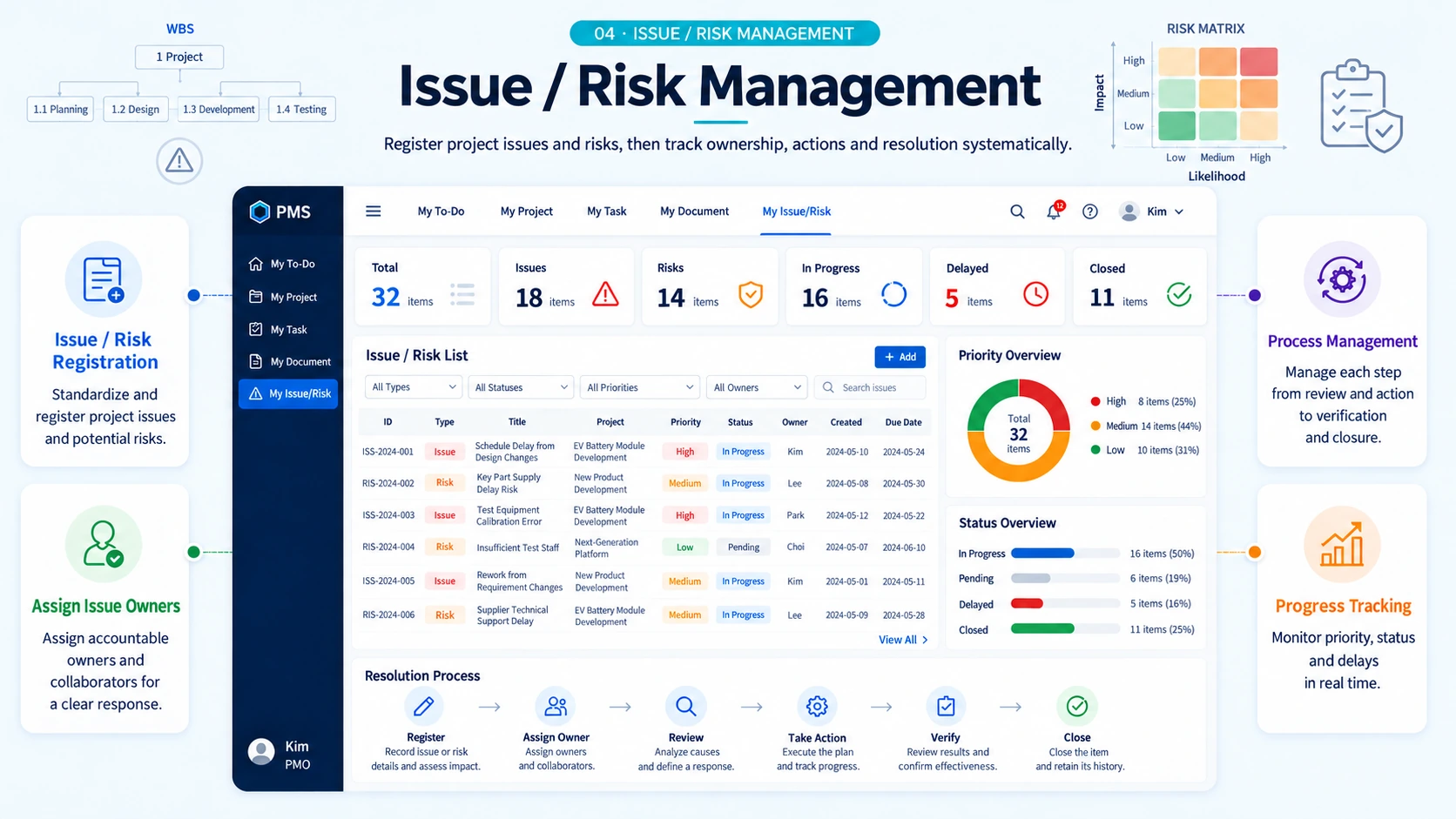
Register issues and risks and track ownership, action, and completion.
Record project issues and potential risks consistently.
Assign accountable owners and collaborators for a clear response.
Manage reviews, actions, verification, and closure step by step.
Monitor priorities, status, and overdue items in real time.
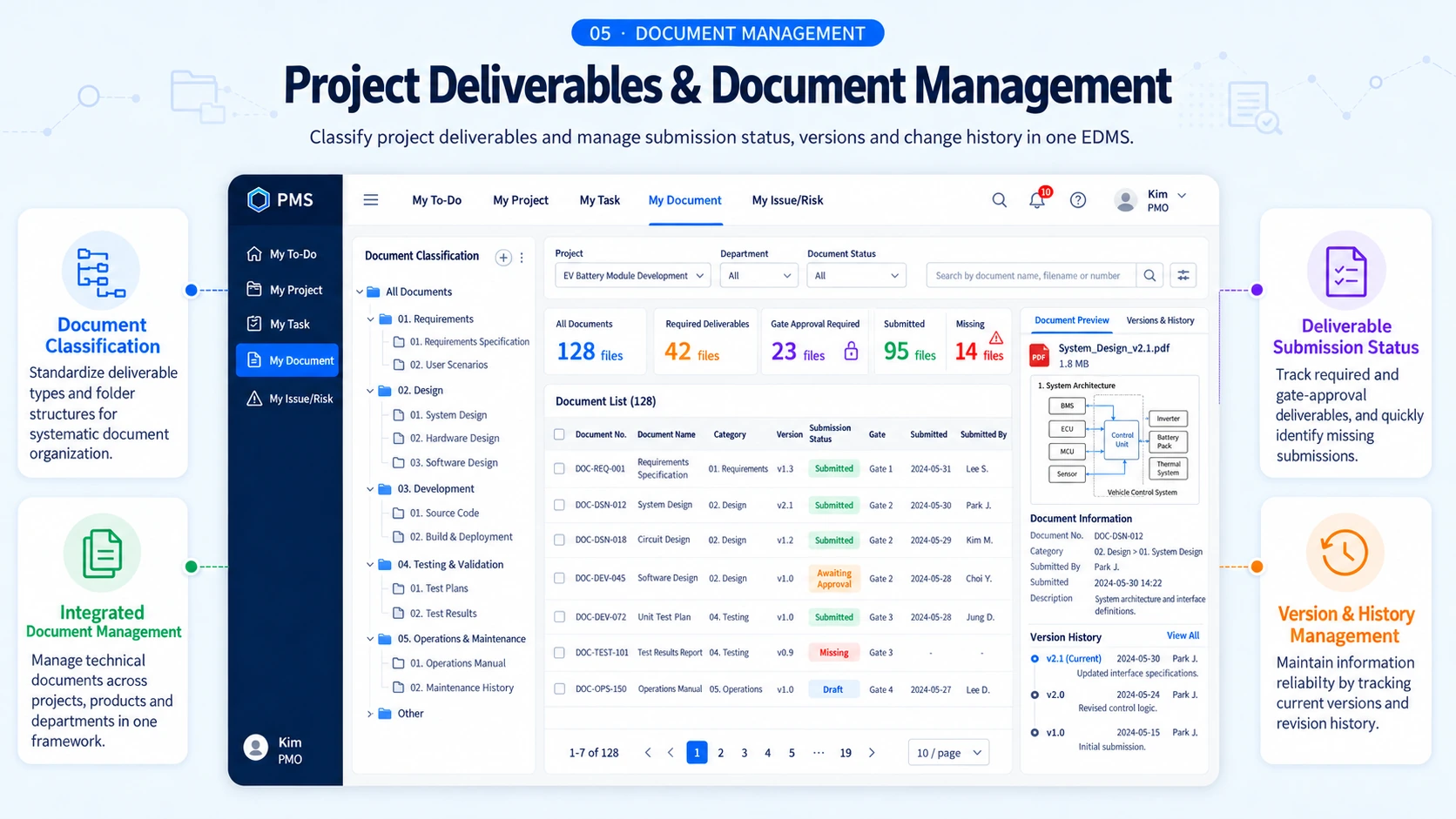
Use EDMS to classify deliverables and manage submissions, versions, and revision history.
Standardize deliverable types and folder structures.
Manage technical documents by project, product, and department in one system.
Identify missing required deliverables and gate approval documents.
Maintain the current version and revision history for reliable information.
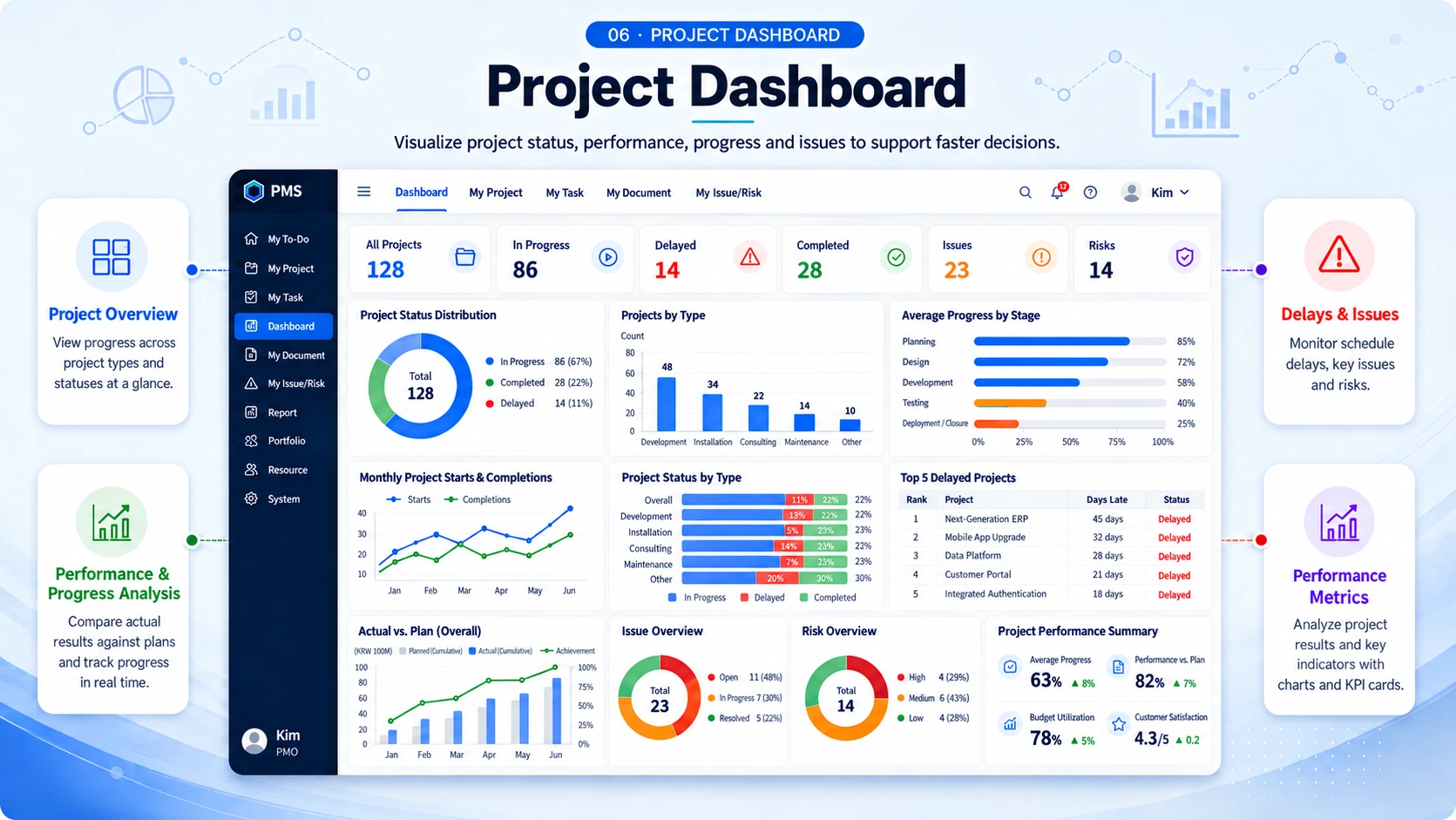
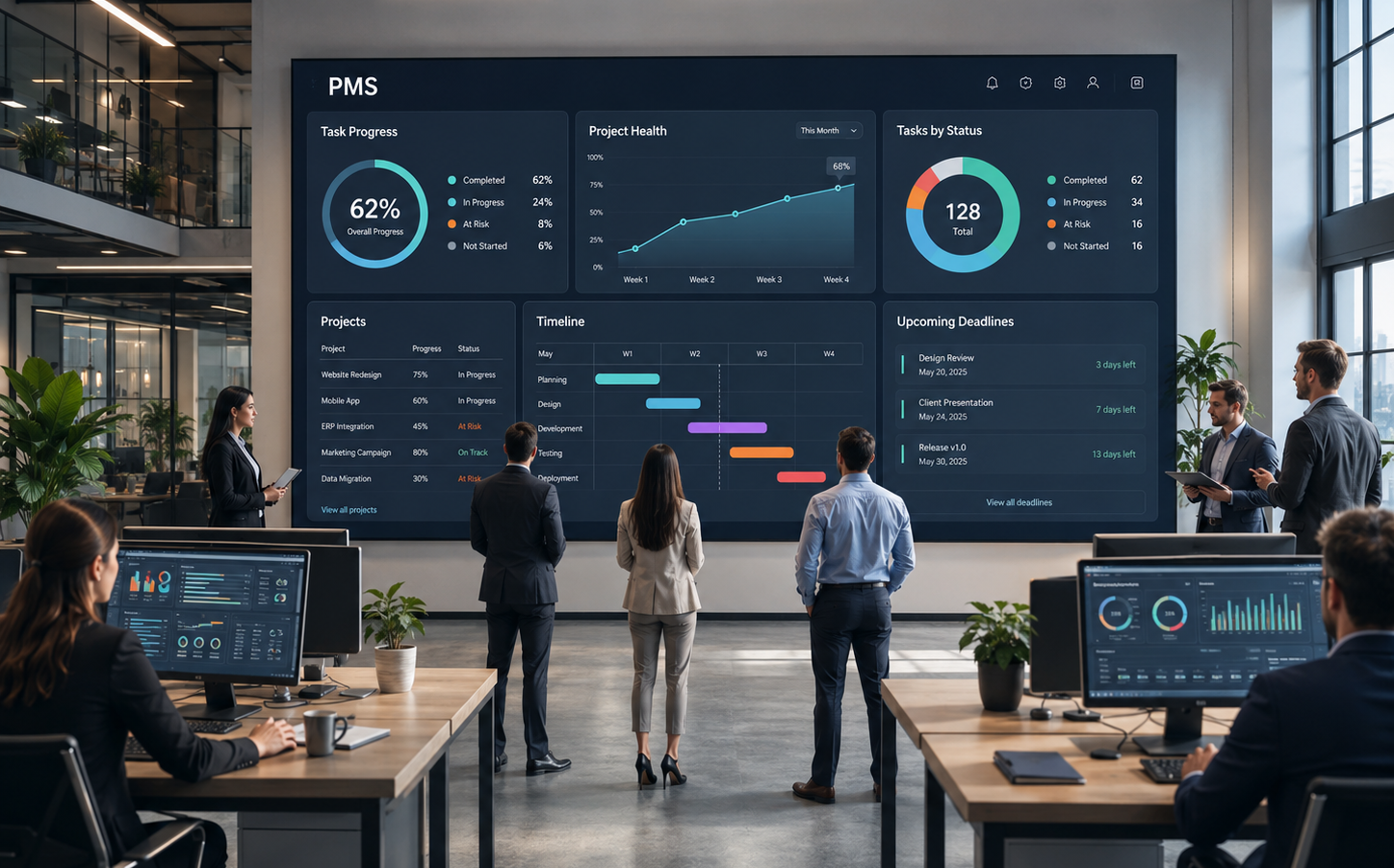
Visualize status, actuals, progress, and issues to support timely decisions.
See progress by project type and status.
Compare planned and actual performance with real-time progress charts.
Focus on schedule delays, major issues, and emerging risks.
Analyze results and key indicators through charts and counts.