My Work
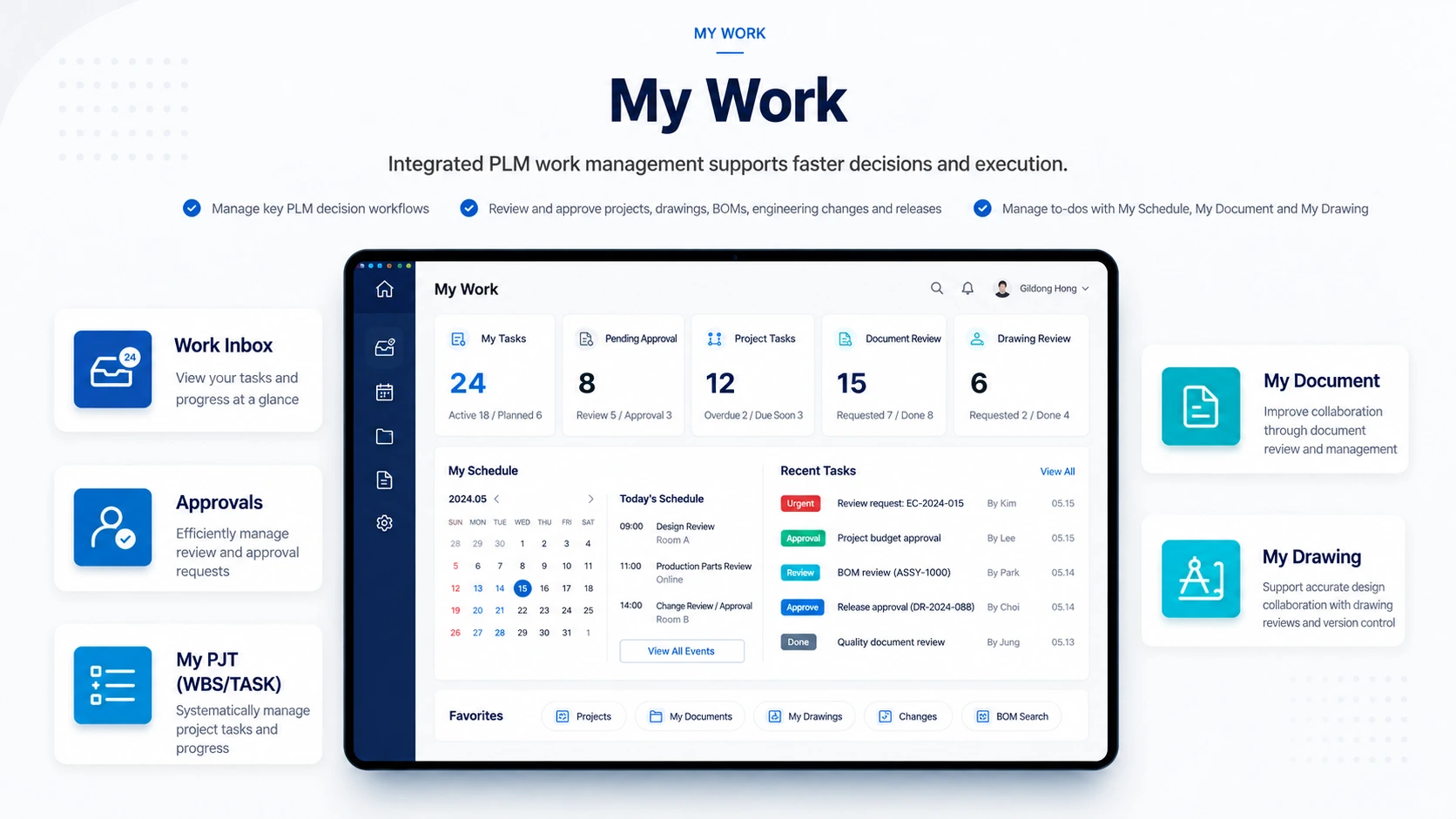
- Incoming & In-Progress Tasks
- Returned & Completed Tasks
- Personal Schedules & Tasks
Manage drawings, documents, parts, and BOMs on a PDM foundation and connect work and data across the product lifecycle.










Structure drawings, documents, parts, and BOMs and connect development tasks and information in one system.
Manage reviews, approvals, and personal tasks across product development in a unified PLM workspace.
See planned, active, returned, and completed work at a glance.
Manage review and approval procedures for projects, drawings, BOMs, engineering changes, and distribution.
Manage schedules, WBS, assignments, and task status.
Review requests, approval status, and the latest versions of your documents and drawings.
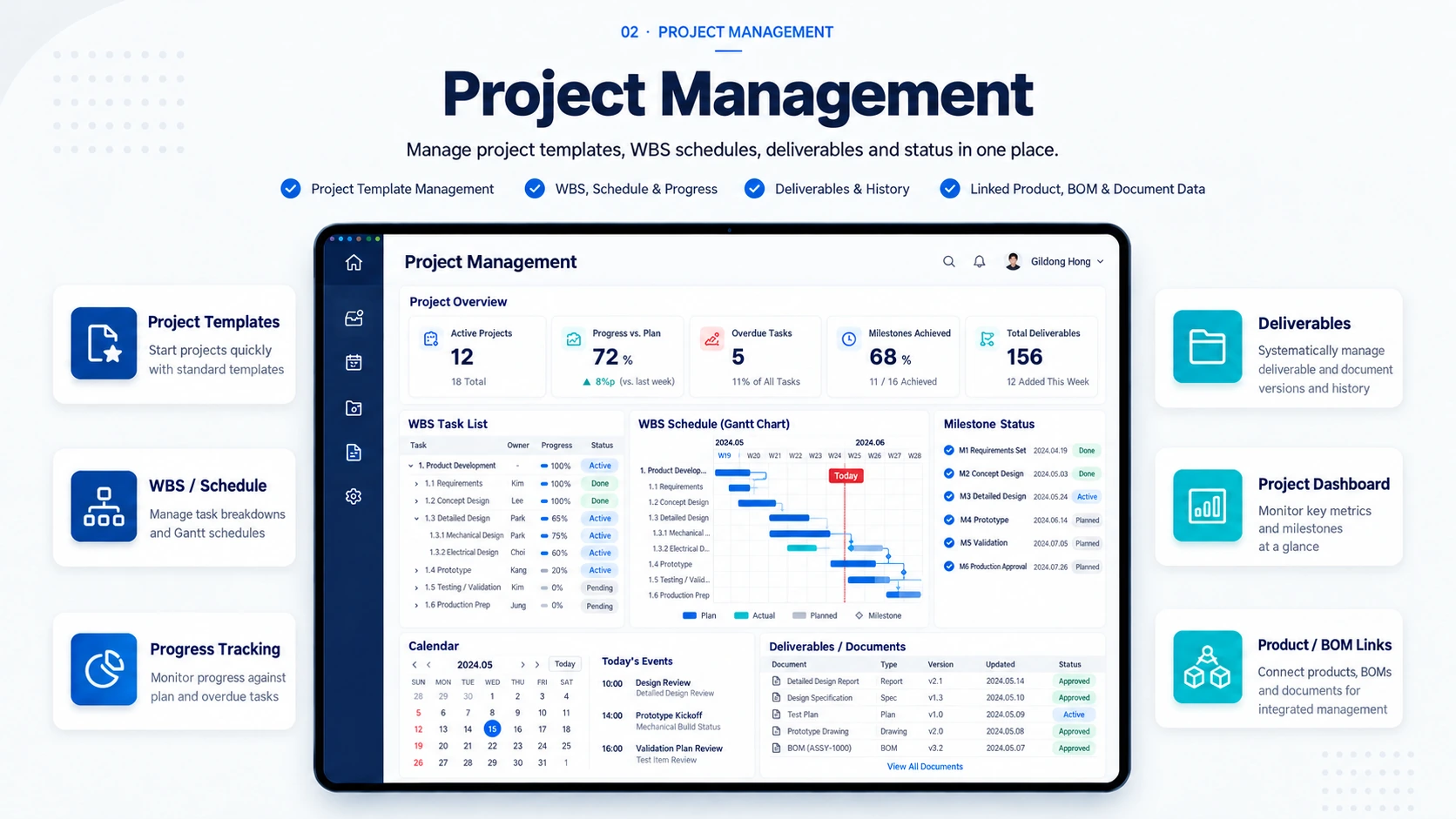
Manage the development lifecycle from project planning to schedules, deliverables, and progress.
Start consistently with templates and standard processes for each project type.
Use WBS, schedules, progress tracking, and Gantt charts to manage plans and execution.
Register project deliverables and manage versions and revision history.
See project status and connect work with products, BOMs, and drawings.
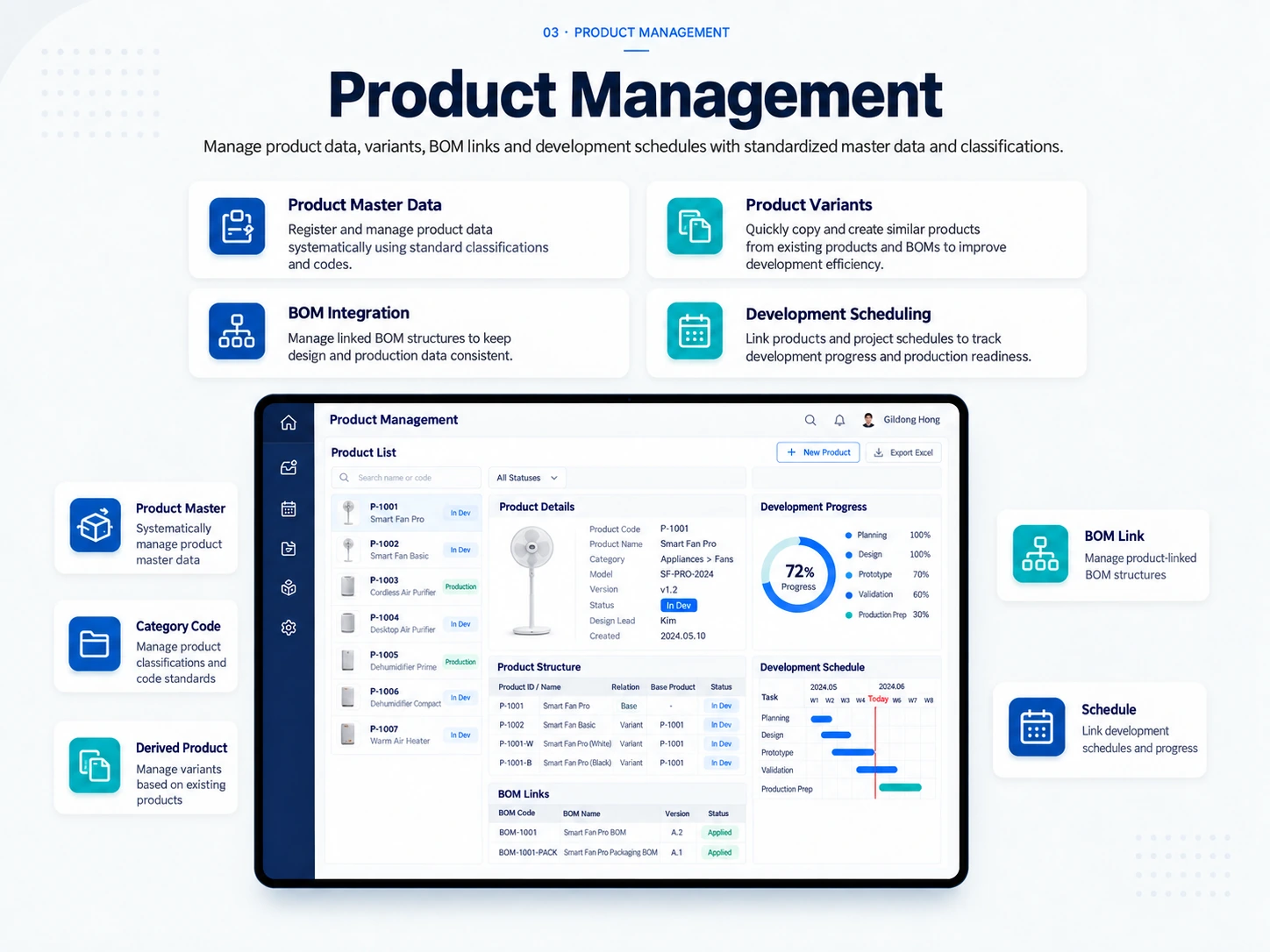
Standardize product information using master data and classification structures and manage development data together.
Register and manage standardized product information using classifications and code rules.
Copy existing products and BOMs to create and manage related configurations efficiently.
Maintain consistent engineering and production data by linking products with their BOMs.
Connect products to project schedules to track development and production readiness.
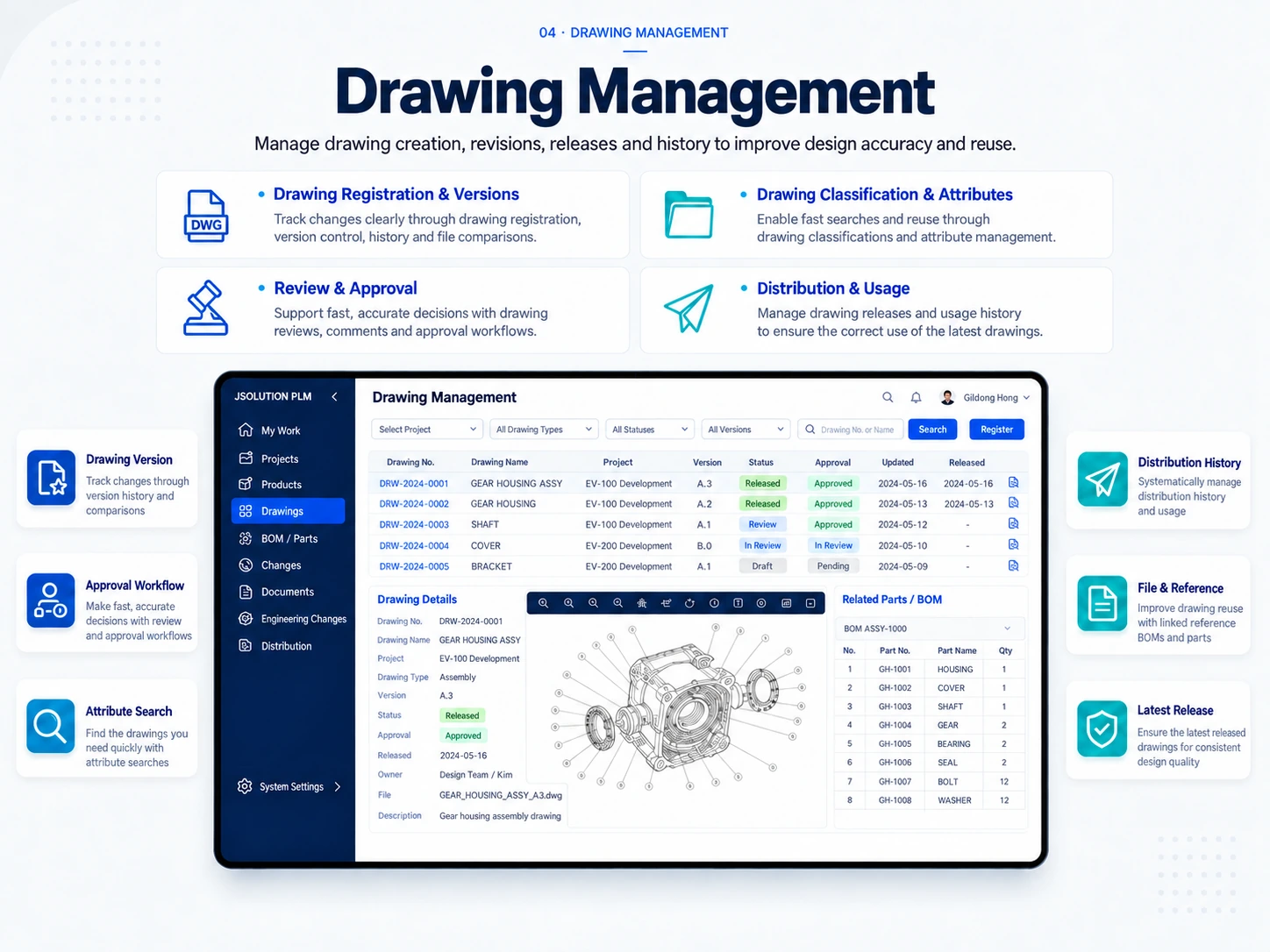
Manage CAD drawings through registration, approval, distribution, and revision history.
Register CAD drawings individually or in batches and manage revisions and file comparison history.
Standardize drawing codes, classifications, and attributes for easier search and use.
Support timely decisions through drawing reviews, comments, and approval workflows.
Manage conversions, thumbnails, watermarks, and distribution history to keep current drawings in use.
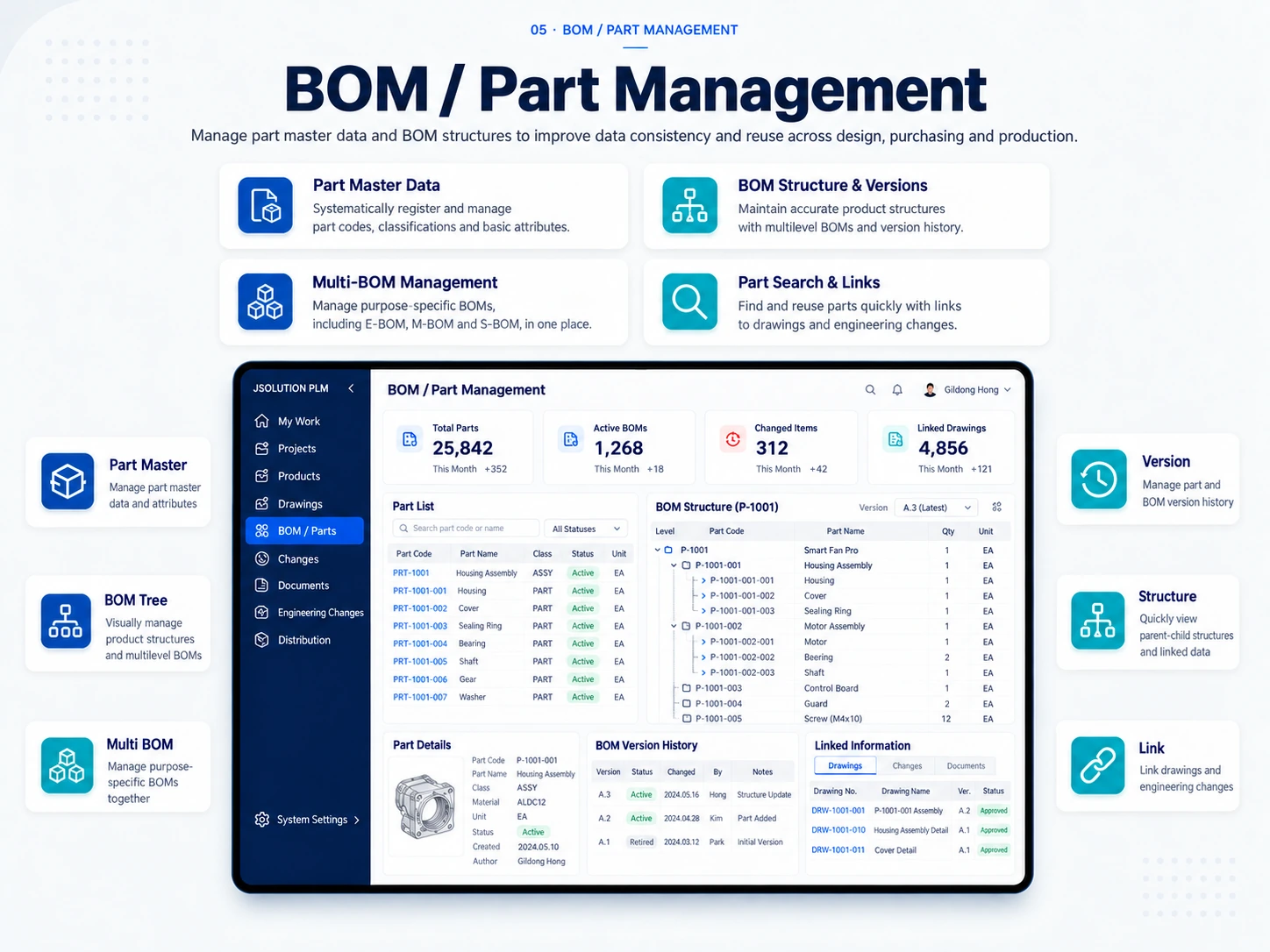
Structure products and parts and support BOMs for different development stages and purposes.
Standardize part codes, classifications, and key attributes and prevent duplicates.
Maintain accurate product structures with multi-level BOMs and revision history.
Manage E-BOMs, M-BOMs, S-BOMs, and other structures for different stages and purposes.
Connect parts, drawings, and changes with spreadsheet import and fast search.
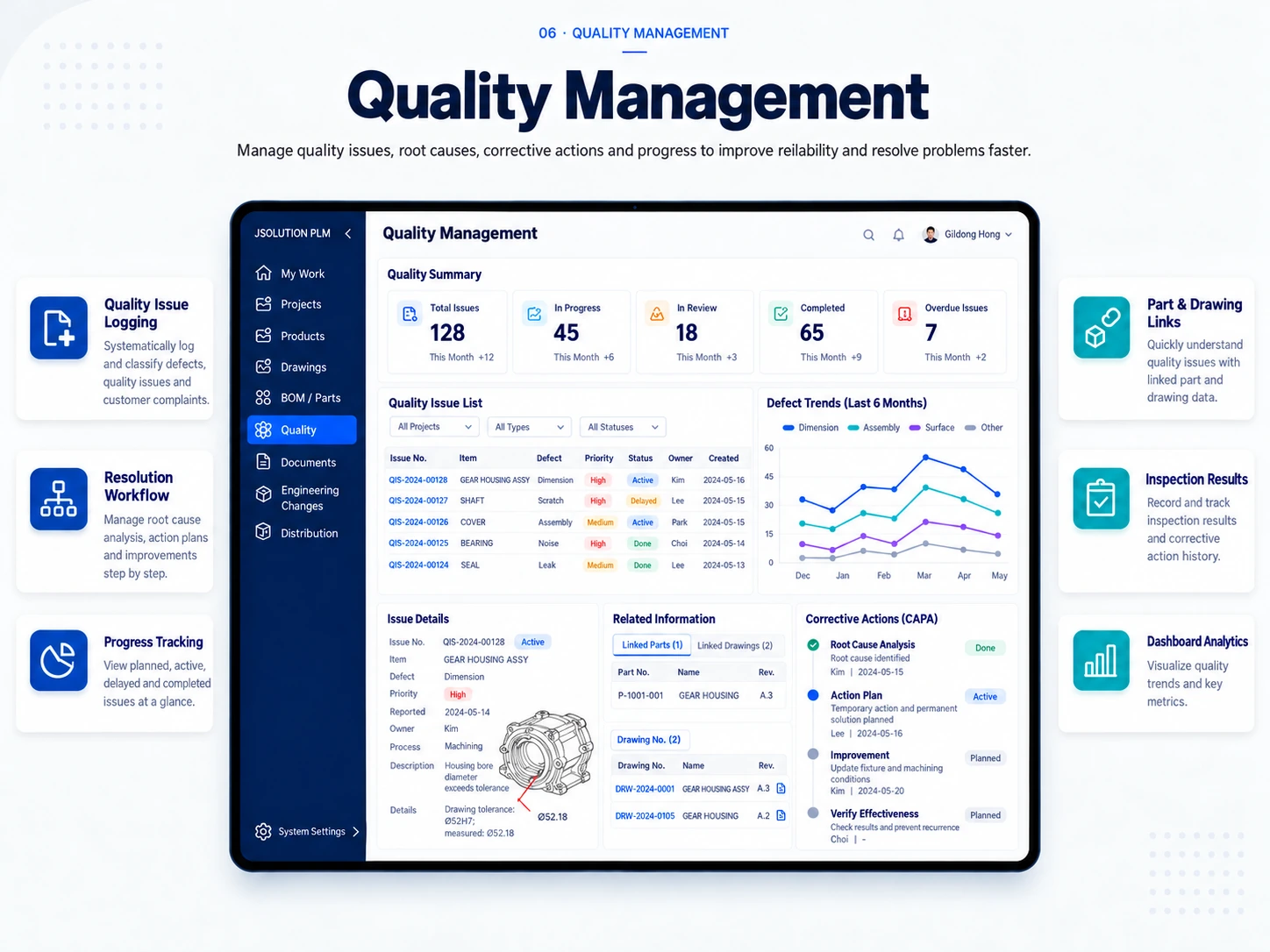
Connect quality issues and corrective activities with relevant product development data.
Register and classify defects, quality problems, and customer complaints.
Manage root cause analysis, action plans, improvements, and verification step by step.
See planned, delayed, active, and completed items and the status of each assignee.
Link drawings, parts, and BOMs to trace quality history and recurring issues.
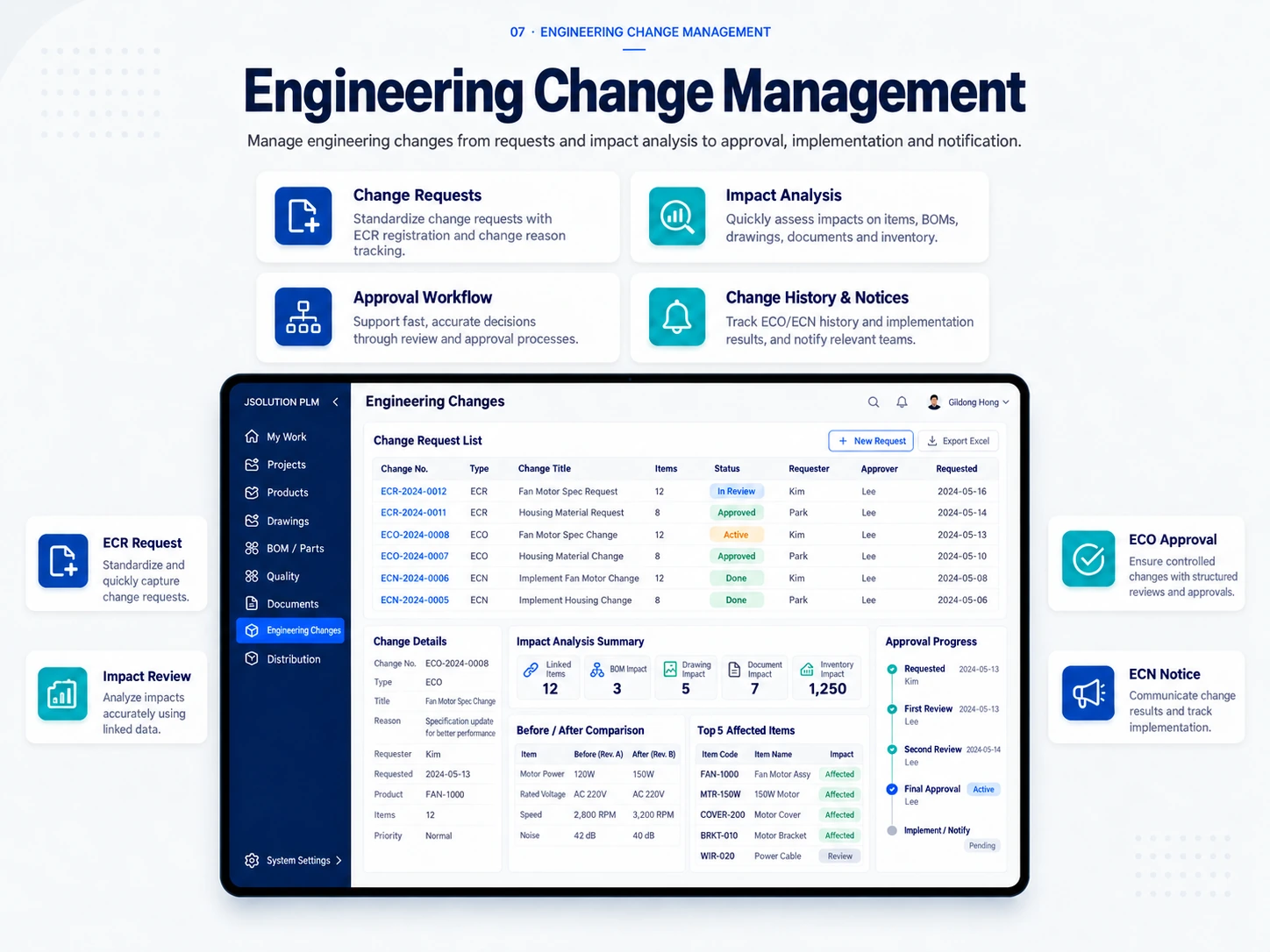
Standardize change requests, impact analysis, approvals, execution, and communication.
Capture engineering change requests consistently through ECR registration and change reasons.
Assess effects on parts, BOMs, drawings, documents, inventory, and external systems.
Standardize reviews and approvals for timely, consistent change decisions.
Trace ECO, ECA, and ECN history and share changes with teams and systems.
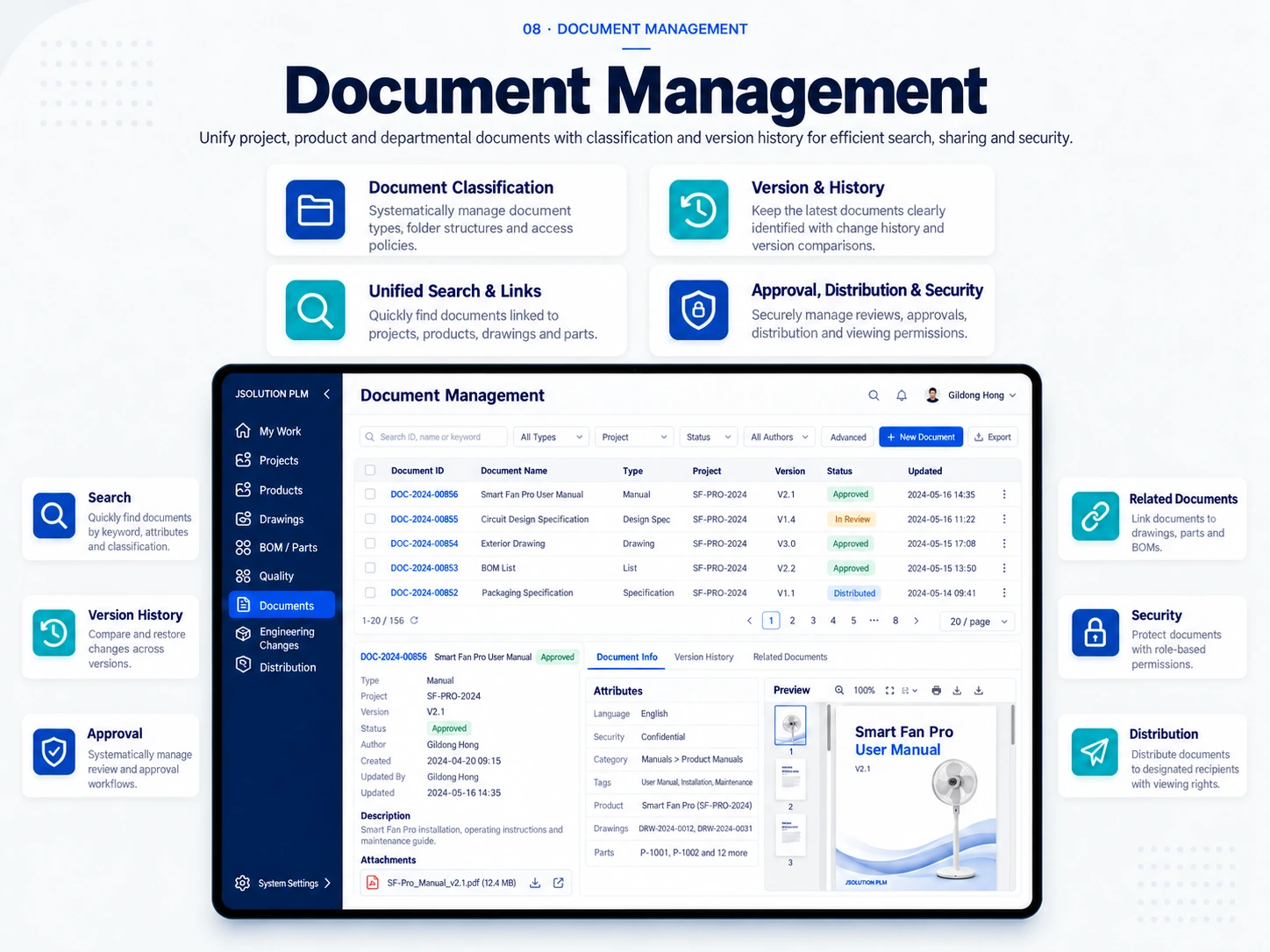
Organize technical documents using EDMS and securely connect them to development data.
Standardize document types, folders, and classification rules.
Compare document versions and changes and clearly identify the current revision.
Find and use documents linked to projects, products, drawings, and parts.
Manage reviews, approvals, distribution, and role-based security together.
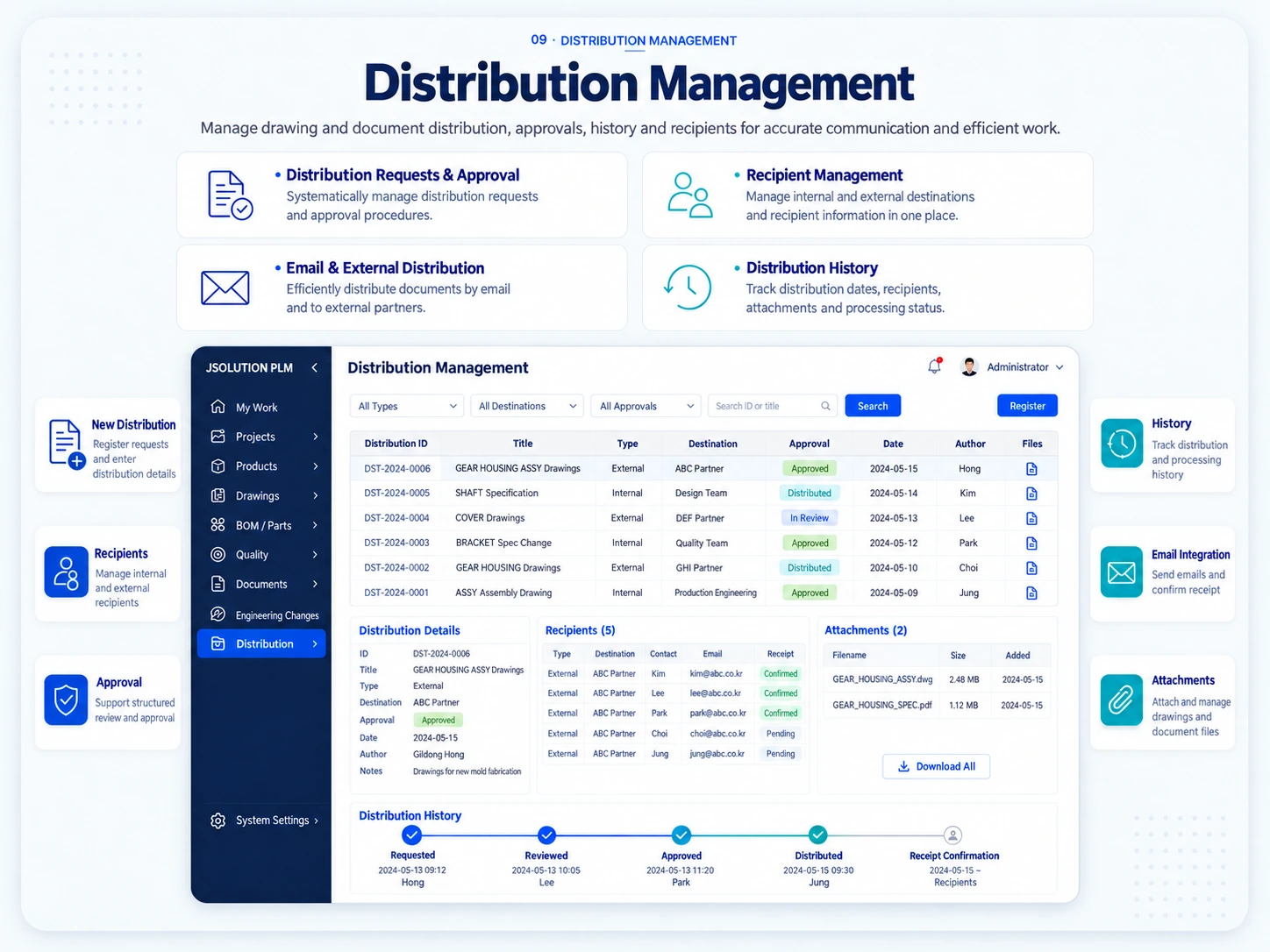
Distribute approved drawings and documents to the right recipients and retain a complete record.
Register requests and use review and approval steps to release accurate information.
Standardize and manage internal and external recipients.
Support email integration and partner distribution while delivering attached documents securely.
Track dates, recipients, attachments, processing status, and receipt records.